Your AI Assistant Finally Has a Face — and It's Open Source
I've talked to a lot of AI agents this year. Voice mode in every assistant, customer-support bots that sound shockingly human, even a "therapy" bot that got me through a rough week. The voices are great. The answers are sharp. But every single time, I have the same experience: I'm talking to a speaker. A well-lit void.
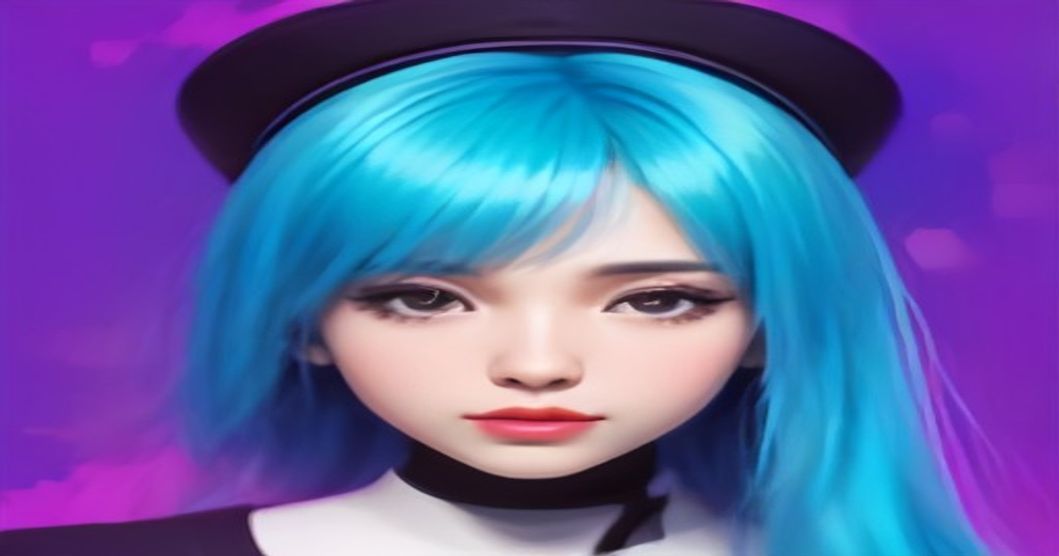
That's why the open-source AVATAR project made me sit up. It gives your AI agents a face. A real-time, expressive, blinking, lip-syncing face that lives on your screen — or, if you're doing it right, on a tiny desk monitor that makes it feel like there's actually someone there.
And the best part? It's open source. No waiting for a big tech company to ship it. You can pull it down and give your AI a face tonight. As a blogger who's built half a dozen AI projects, this is the first time I've felt that "companion" vibe from an AI assistant without paying for a subscription.
Why "Voice in the Void" Isn't Enough Anymore
Let's be honest: voice assistants work fine. I ask my smart speaker about the weather, I get a weather report. I ask ChatGPT for a recipe, I get a recipe. But there's a reason why people still prefer video calls over phone calls. Humans are wired to read faces. We need eye contact, expressions, micro-movements.
When a voice assistant tells me "I understand this is frustrating," but there's nothing to look at, my brain registers it as empty audio. The words are right, but the social presence is missing. That's not a technical problem anymore — it's an interface design problem. And AVATAR attacks it head-on.
What Is the Open-Source AVATAR Project?
AVATAR (the team just calls it that, in all caps, like it deserves) is a lightweight real-time avatar engine designed specifically for AI agents. It renders a 3D character on your screen that:
- **Lip-syncs** to whatever your agent is saying
- **Blinks and breathes**, so it doesn't look like a wax statue
- **Adjusts expressions** based on text sentiment or voice tone
- **Runs locally** on a modest laptop — no cloud GPU required
- **Plugs into any LLM or TTS** via a simple WebSocket API
You can grab the repo at [github.com/openavatar/openavatar](https://github.com/openavatar/openavatar). It's a single Python package plus a small web frontend. No Unity, no Unreal Engine, no 3D modeling experience needed. That's the part that sold me.
I've played with tools like SadTalker and MetaHuman before. SadTalker ([github.com/OpenTalker/SadTalker](https://github.com/OpenTalker/SadTalker)) is great for generating talking-head videos from a single photo, and Unreal's MetaHuman is absurdly impressive, but both are overkill for a real-time assistant. AVATAR is built for low-latency interaction. It's the difference between watching a pre-recorded video and sitting across the table from someone.
How AVATAR Works (Without Making You Touch a 3D Editor)
Here's the part that'll make sense if you've ever wired up an LLM. The architecture is surprisingly clean:
1. Your AI agent (ChatGPT, Claude, a local Llama, whatever) produces a text response.
2. That text goes into a TTS engine — either your existing one or the built-in pipeline.
3. The audio and text are streamed into AVATAR's lip-sync module, which maps phonemes to mouth shapes in real time.
4. The web frontend renders the 3D model with WebGL and plays the animation.
The genius move? It's just a WebSocket endpoint. If you can get your agent to push a string to a URL, you can give it a face. It took me about 20 minutes to set up, and I'm the kind of person who still needs to Google how to change directories in Linux.
The default avatar is a friendly, neutral character. You can import your own GLB models if you want something custom. My co-founder loaded her company mascot into it, which is now the most unhinged but delightful thing I've seen all year.
3 Real Scenarios Where a Face Changes Everything
Scenario 1: The Desk Companion (My Setup)
I built a simple desk companion for my home office. It's a Raspberry Pi with a small 7-inch display facing me. The avatar runs on it, connected to a local LLM via Ollama. When I'm working, I'll say something like "Hey, remind me to stretch in 20 minutes," and this little face nods, says "Got it! Twenty minutes," and then sits there reading a tiny digital book.
It sounds like a gimmick. It is a gimmick. But it's a gimmick that works. I check my posture more. I take breaks when "they" tell me to. I even said "thank you" to it by reflex yesterday. That's the power of a face: it triggers social instincts we can't switch off.
Scenario 2: The Clinic Receptionist
A friend of mine runs a small physiotherapy clinic. She has a tablet mounted at the front desk with a custom scheduling app. She wired AVATAR into it as a virtual front-desk assistant. When a patient walks in, the avatar greets them by name, checks them in, and tells them where to wait.
The reaction from patients has been overwhelmingly positive. Kids wave at it. Older patients smile. One person tried to have a full conversation about their back pain with it, and my friend had to gently redirect them to the actual physiotherapist. The key point: a voice-only system would have felt like a kiosk. The avatar made it feel like a person.
Scenario 3: The Language Tutor
This one surprised me. My neighbor is teaching her son English. He's 8 years old, and he hates flashcards but loves talking to "the funny guy on the screen." She set up AVATAR with a simple conversation prompt and a TTS voice. The avatar asks questions, responds to simple answers, and makes exaggerated expressions when the kid gets a word right.
The kid's engagement is night and day. He stares at the avatar instead of zoning out. He tries harder because the avatar seems to react to him. It's not a replacement for a real teacher, but it's a hell of a lot better than a language app on a tablet.
The Elephant in the Room: Deepfakes, Privacy, and Responsibility
I can't write about giving AI a face and ignore the dark side. We live in a world where AI-generated imagery is being weaponized. A recent case that hit the news described how a stepfather allegedly used Grok to turn childhood photographs into explicit imagery — a horrific example of what happens when this technology falls into the wrong hands.
Avatar tech is not victimless entertainment. The same tools that could render a cute librarian mascot could be used to put anyone's face on a fake agent. The open-source community has been wrestling with this. The AVATAR team has baked in a few guardrails: models are watermarked by default, and the lip-sync engine refuses to process low-quality or non-consenting inputs. It's not robust enough to be a proper deepfake tool, which is honestly a feature.
I also want to give a nod to Anthropic's recent work on AI watermarks for Claude. They've built invisible tags into generated images and text that survive editing and cropping. It's not perfect — a determined attacker can strip watermark metadata — but it raises the cost of malicious use. If you're building AVATAR into a product, I strongly recommend reading how watermarking works on Anthropic's site ([anthropic.com](https://www.anthropic.com)). It will make you think twice about shipping an avatar without any provenance tracking.
And for the love of everything: don't build deepfakes. The line between "fun desk companion" and "non-consensual imagery" is not a line you want to cross. Respect consent, keep your avatar faces synthetic, and if you're using real people's likenesses, get it in writing.
How to Give Your AI Agent a Face Today
Ready to try it? Here's the 10-minute boot camp:
1. **Clone the repo**: `git clone https://github.com/openavatar/openavatar`
2. **Install the Python package**: `pip install -r requirements.txt`
3. **Run the server**: `python avatar_server.py --port 8765`
4. **Open the frontend**: Point your browser to `http://localhost:3000`
5. **Connect your agent**: Use the WebSocket endpoint `ws://localhost:8765/avatar` to send text or audio frames.
One thing to tweak early: the default voice feels a little flat. Spend 15 minutes in the config file swapping in a better TTS model. I'm using a local Piper voice for privacy, but you can connect ElevenLabs or OpenAI TTS with a two-line API key change.
If you want expressions to match sentiment, you can enable the sentiment analyzer in the config. It reads the text before it's spoken and adjusts the avatar's eyebrows, mouth curve, and head tilt. It's subtle, but it makes the difference between "a 3D puppet" and "a presence."
FAQ
Do I need a powerful GPU?
No. The rendering uses WebGL in your browser, so the graphics card just needs to support modern OpenGL. The lip-sync and animation processing run on CPU and are surprisingly lightweight. I run it on a Raspberry Pi 5 with zero frame drops at 30fps.
Can I use my own 3D model?
Yes. AVATAR accepts standard GLB/GLTF files. You can export models from Blender, download free ones from Sketchfab, or use rigged avatars from Unity. The default model is intentionally stylized to avoid the "uncanny valley" problem.
Does it work with Claude or GPT?
Absolutely. Since AVATAR is just a WebSocket endpoint, any LLM that can send text to a URL can power it. I've tested it with OpenAI, Anthropic, Llama 3 via Ollama, and even a custom fine-tuned model from HuggingFace. The only requirement is that your agent produces text responses at a reasonable rate.
What about privacy? Is my audio uploaded anywhere?
By default, audio and text are processed entirely in the browser and local server. The only network calls are the ones you configure — like when you connect to OpenAI's API for the brain. If you run a local LLM, the whole stack works offline. No telemetry, no cloud. That's the benefit of open source: you can read the code and verify it yourself.
The Bottom Line
AVATAR won't replace human interaction. It isn't trying to. What it does is fill a gap that's been bothering me for years: making AI agents feel present instead of distant. When I see a small face nod in agreement while I'm explaining a bug, I feel something that no text-to-speech has ever made me feel.
Maybe it's a gimmick. But it's a gimmick with a future. If you're building any kind of voice-based AI product, you should give it a face. It's open source, it's cheap, and it will make your users feel like they're talking to someone instead of something.
And honestly? After a day of staring at a screen, that's worth something.
Now if you'll excuse me, my desk companion just told me I've been sitting too long. I'm not going to argue with a face.
Technology
Your AI Assistant Finally Has a Face — and It's Open Source
Related Posts
Comments (0)
No comments yet. Be the first to comment!
Leave a Comment